GFD Finaeon is the historical financial data platform for Global Financial Data (see my project redesigning the company's corporate website here). Following the redesign of the company's corporate website it became an imperative to update the look of GFD Finaeon to be more congruous with its look and branding direction.
Since a new version of the platform is in the beginning stages of development, limited resources drove the decision to only "reskin" the current version. This presented the challenge of providing an updated and improved look (and by extension experience) by focusing solely on updating the platform's CSS.
Below is a selection of improvements made, with details on each one.
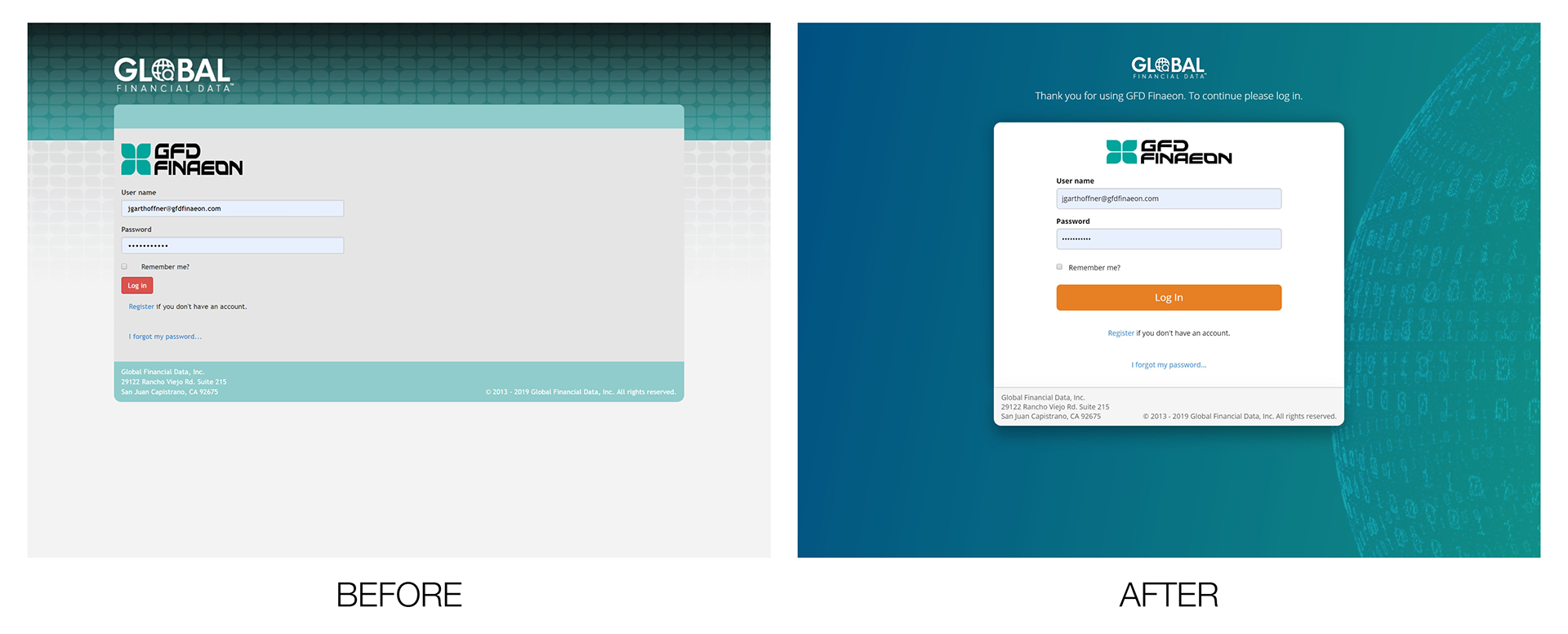
The log in screen now contains more UX friendly language letting the user know they using a product of Global Financial Data (which is something clients of the company have been confused about in the past), and instructing them on what to do next. The background color allows the login form to become the visual focal point with the orange "Log In" button standing out as the only element with that color.
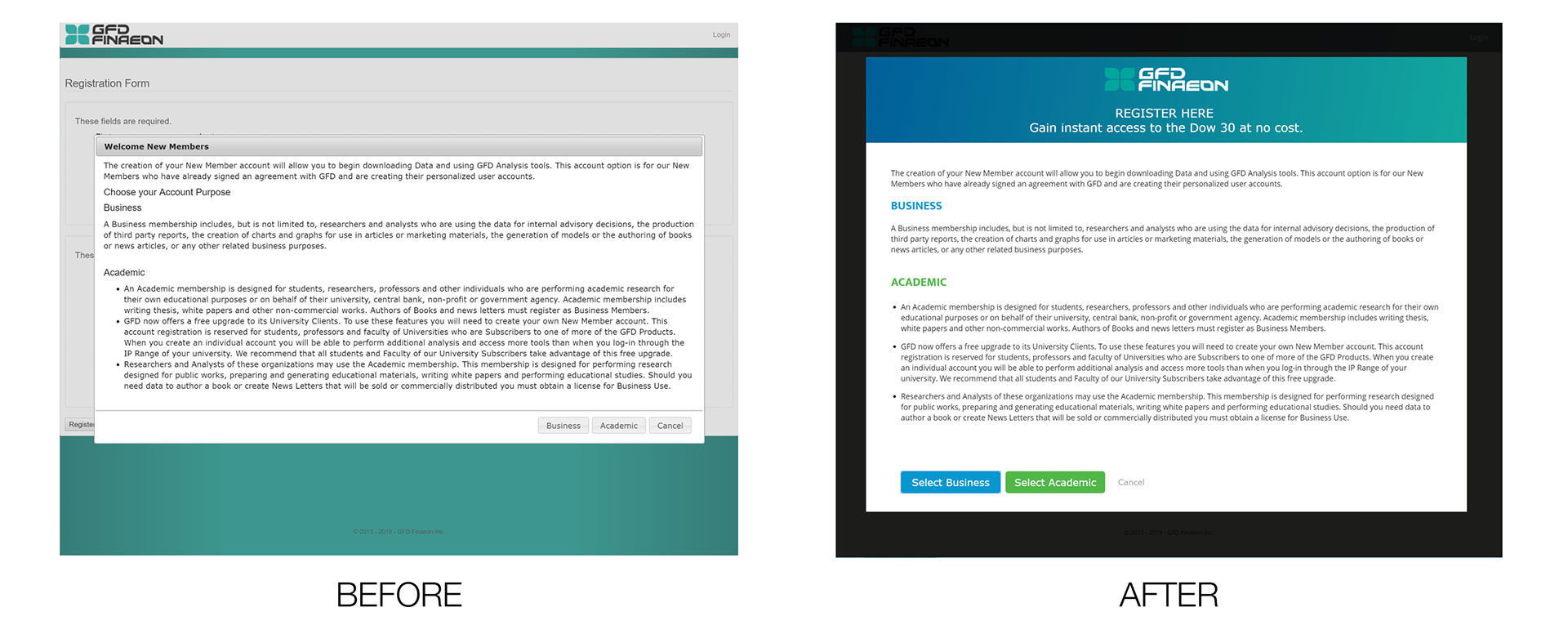
The new account selection modal has several improvements: The look and feel is less like the default Bootstrap styling of the original (the "Before" tab), and more in line with the corporate site (since that is most likely how the user accessed the registration page in the first place). Improved language communicates to the user that they are here to register, and what the benefit to registering will be. The account types are color coded to allow the user to more easily differentiate between the two. Color coding the buttons to correspond with each account type. The background overlay is much darker than the previous version in order to keep the user's focus on the steps the must take before getting to the form
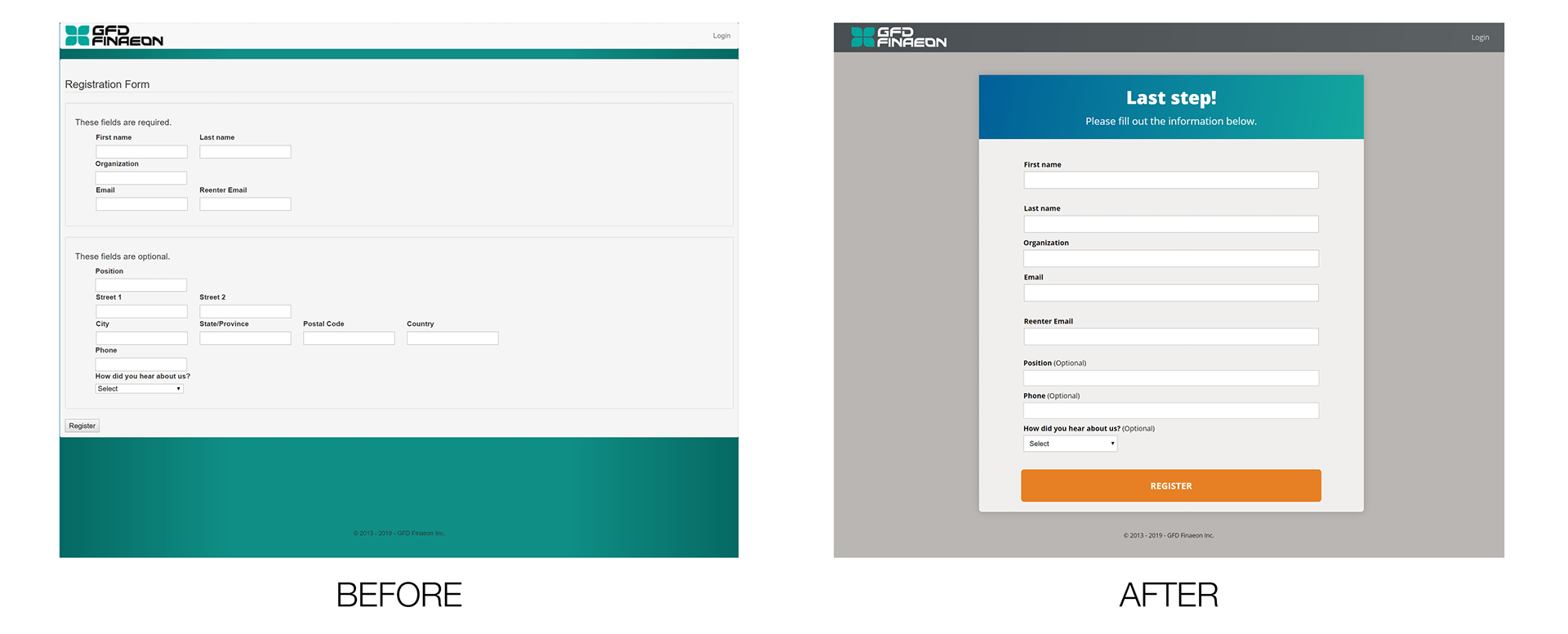
As with the rest of the registration form, color is utilized in a way to help draw the user's eye where it needs to be. Unnecessary form fields were eliminated, and language was added to let the user know they are almost done with the process.
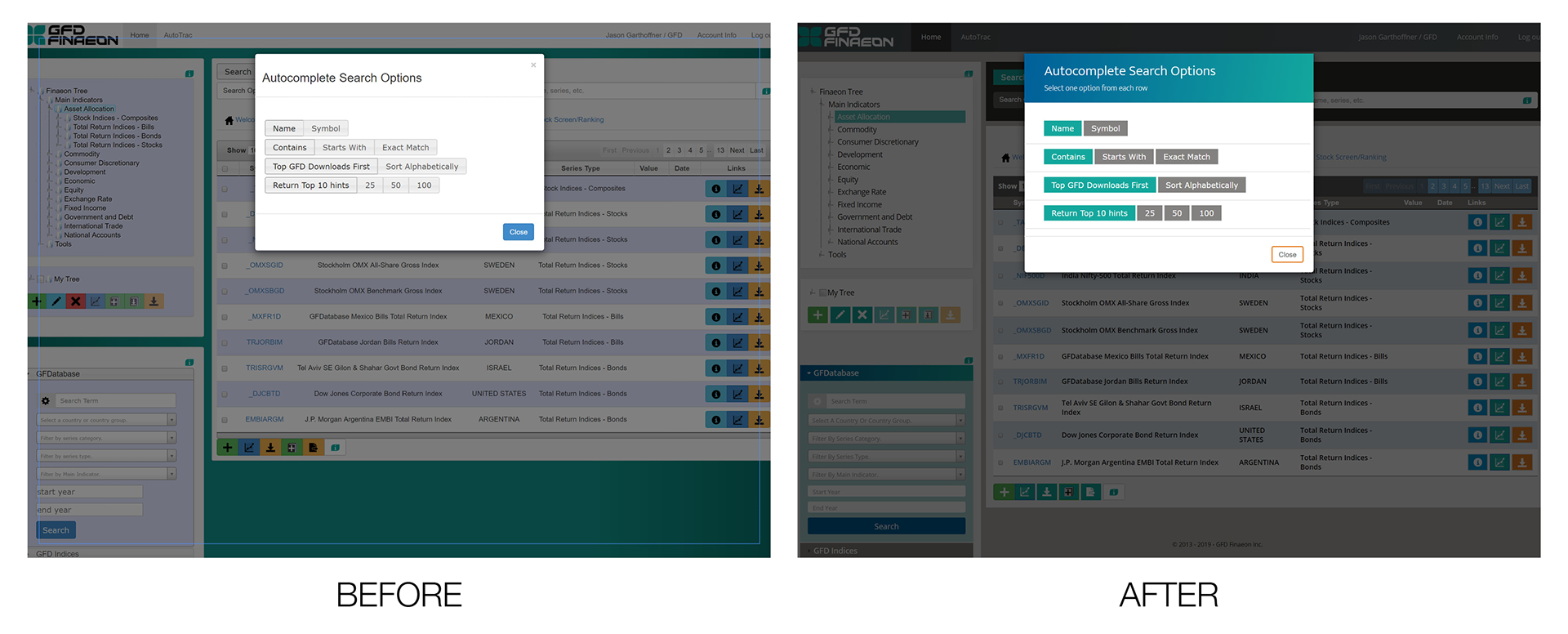
The search options modal is now branded, it includes language to guide the users on how to use the modal, and has a clear differentiation in color for the user's selected options.
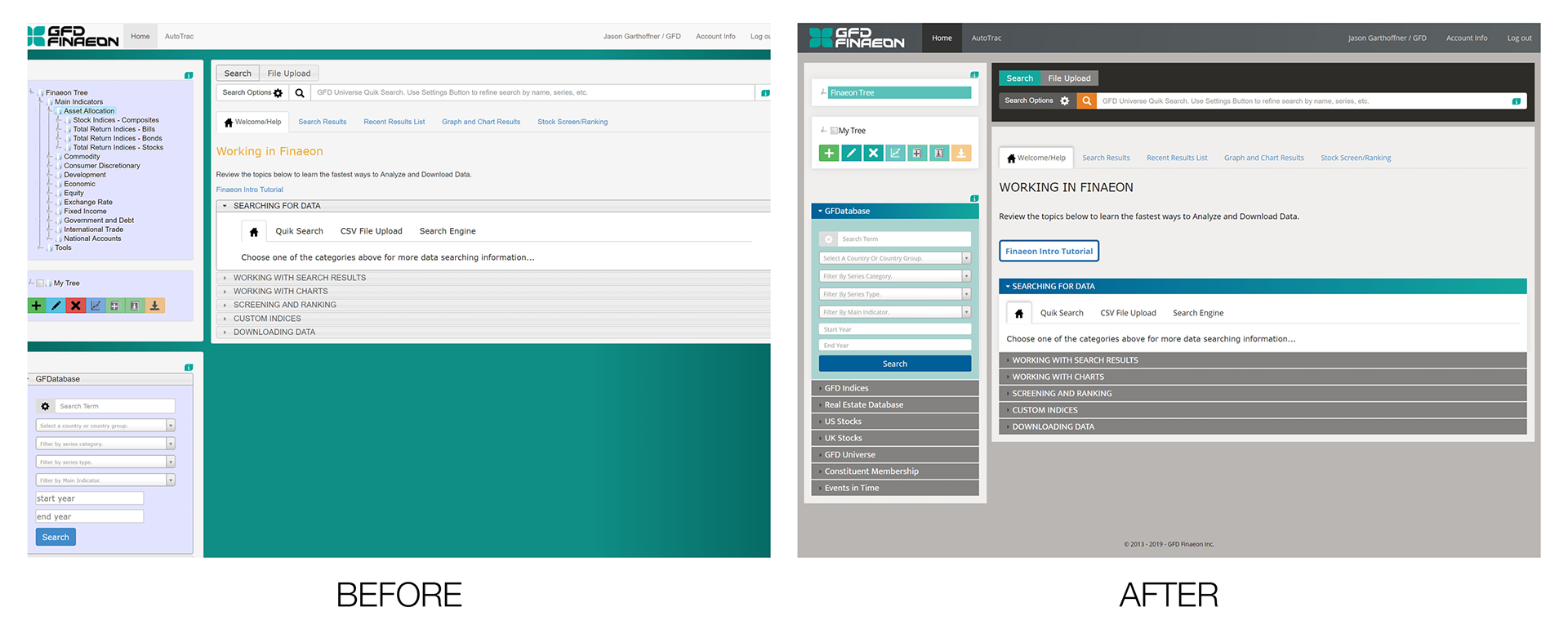
Color is employed more effectively. The greatest contrast goes to the search bar, which has been indicated by the sales team (as conveyed by users) to be the most used part of the interface. The search button (magnifying glass) is in the same CTA orange users see on Global Financial Data's corporate website, this combined with the search bar having the darkest background on the screen makes it much easier for the user to spot. In the previous version it blends in so much with the background that it's very difficult to identify easily. The same is true of accordion navigation, as it is now easier for the user to identify both the accordion tabs and which section has been selected. The background of the body is given a more neutral color to allow the interactive spots where color is used to pop more.
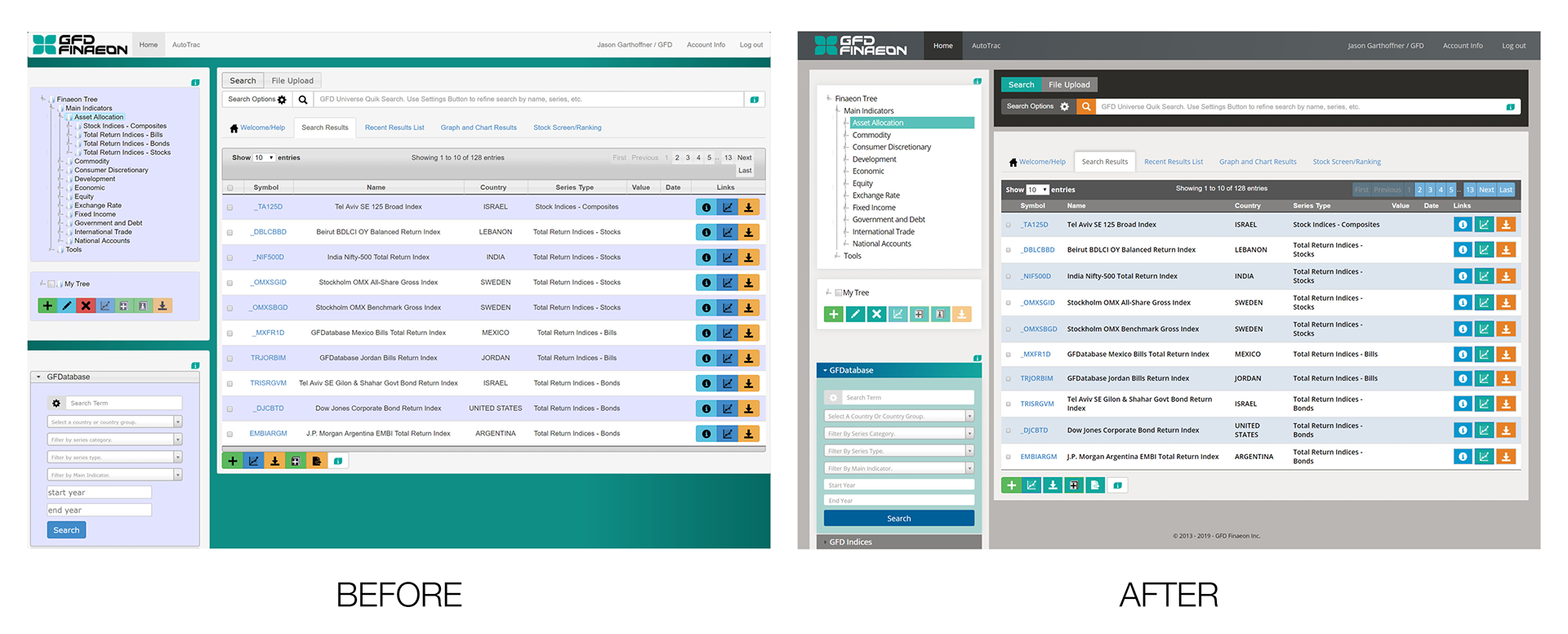
The "Finaeon Tree" (on the top left) was simplified. The icons next to the branches were removed, as they didn't serve a purposed that enhanced usability, the tree was styled to make the user's selection more identifiable. Despite not being actual links, the items in the search result "name" column were in certain instances wrapped in HTML "a" tags, giving the impression they should be clicked. This phenomenon was eliminated in the update. The brand of the company is reflected in the colors used (with the data download icon, the end goal for users, in the regular CTA orange), and the icons are made white for better contrast and visibility.